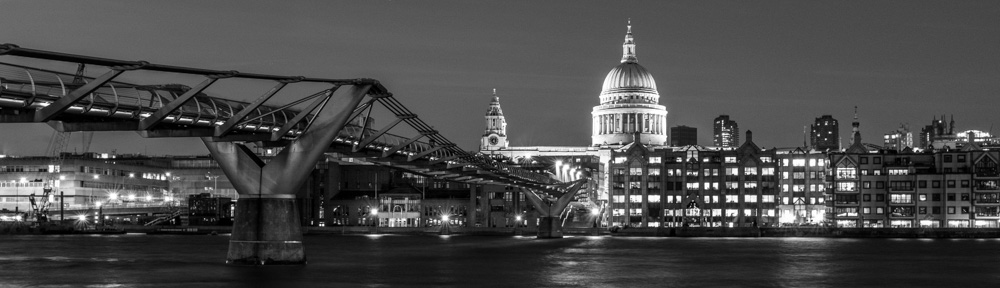
Infrared in the days of film photography was a pretty complicated affair – the film was expensive and difficult to shoot and process, yet the results could be stunning – skies rendered almost black, and foliage almost white, all with that infrared ‘glow’.
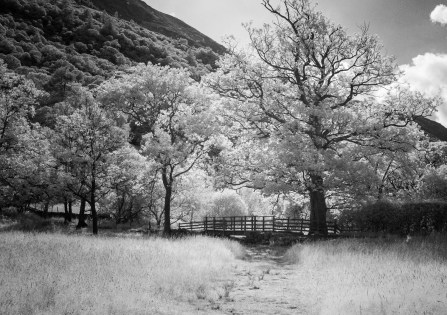 Using Lightroom or Photoshop you can ‘tweak’ regular digital images to give a kind of faux infrared effect, but it’s not completely convincing. You get a much better result by using a digital camera that has been converted so it just records infrared light. This is done by removing the ‘hot’ mirror that sits in front of the sensor and blocks the infrared part of the spectrum, and then adding a filter to block all or part of the visible light spectrum. This filter can be fitted directly in front of the sensor, or as a normal lens filter, and you can choose one that still gives a colour infrared image, or just monochrome (my favourite). Bear in mind that camera lenses are not designed to be used for infrared and many exhibit strange effects like multiple reflections or ‘hot spots’ where the centre of the image is much brighter than the rest. All in all, it’s a pretty tricky business and expensive too…
However, some cameras, and the X100 is one of those, still have a reasonable sensitivity to infrared and you can get decent enough infrared photos using nothing more than a filter over the lens. Here’s how it’s done:
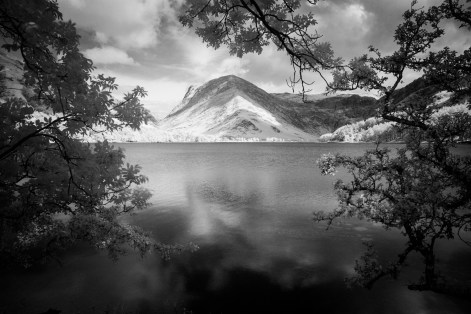 Start point is to get a 49mm R72 infrared filter (you’ll need the filter adapter for the X100 if you don’t already have it.) I used the Hoya R72 filter, but there are cheaper ones about which seem to work too. R72 means that it will filter out all light with a wavelength less than 720nm – which is most of the visible spectrum, so the filter appears black to look at. There’s now so little light coming through the filter (it’s worse than a 10 stop regular ND filter!) that you’ll have to bump the ISO up on the camera, probably to around 3200 or so, and still need a long exposure of several seconds, so it really needs a tripod too. There’s a lot more infrared light around on sunny days, and the technique works particularly well on green foliage so it’s a summer’s day job really…
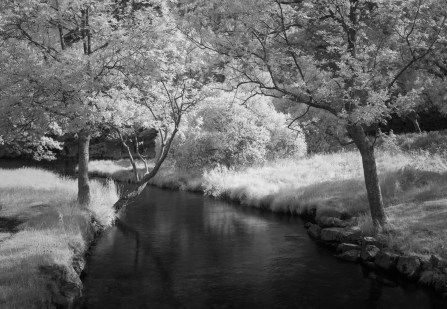 It’s a good idea to adjust the white balance on the camera too, and rather than use a white card, just point the camera at a patch of grass or similar when setting it (p67 in the X100F manual if you’re unsure how to set custom white balance.) Remember to revert to auto white balance when you’ve finished shooting infrared!
Now it’s just a question of setting the camera to around f8, focussing and shooting. Depending on how bright it is, the camera may struggle to autofocus, so it’s trial and error with manual focus, and because the viewfinder image will be dim, you can use the optical viewfinder for composing.
You’ll get a pinky-red image (I always use the RAW image as a start point for processing) but convert it to mono and there it is! The BW 02 mono preset in Lightroom is a good start and you can adjust it from there to get the effect you want.
It’s not perfect infrared, but a jolly sight less expensive that having a camera converted!
(All images shot at Buttermere, on a Fujifilm X100S camera with Hoya R72 filter)
 Life with a Fuji X100 camera